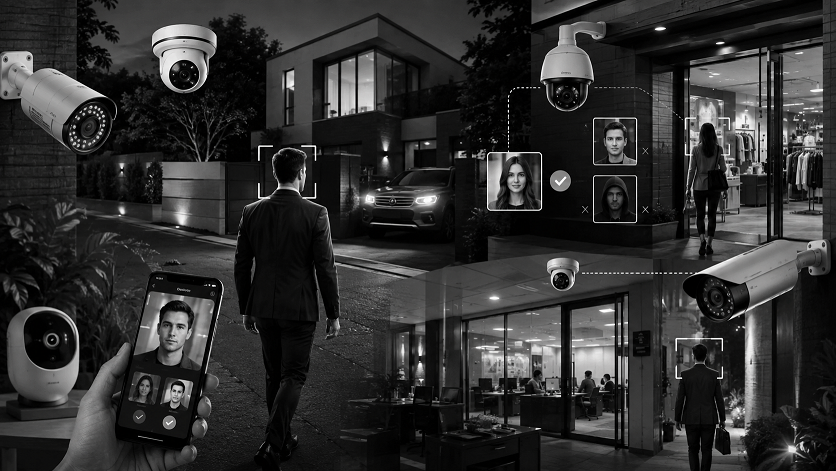
Best Security Cameras with Facial Recognition in 2026
Choosing the best security cameras with facial recognition can give homeowners another layer of intelligent monitoring beyond basic motion detection. Instead of simply alerting you that someone is present, cameras with facial recognition capabilities can help distinguish familiar faces from unfamiliar people, depending on the camera’s software and available features.
The best security cameras with facial recognition can also combine face recognition with AI motion tracking, high-resolution video, night vision, local storage, and smartphone alerts. These features can be especially useful around front doors, driveways, yards, and other areas where you regularly expect family members, employees, or visitors.
For this guide, we’ve compared three camera systems that advertise facial-recognition capabilities. The eufy Security SoloCam E42 4-Cam Kit stands out as our Best Overall choice thanks to its 4K resolution, solar power, AI facial recognition, pan-and-tilt functionality, and built-in local storage.
Disclosure: If you purchase a product through affiliate links on this website, I may earn a commission at no additional cost to you.
Quick Comparison
| Camera System | Resolution | Best For | Storage | Key Feature |
|---|---|---|---|---|
| eufy Security SoloCam E42 4-Cam Kit | 4K | Best Overall | Built-in local storage | AI Facial Recognition + Solar |
| 5G Indoor AI Facial Recognition 3-Pack | 3K | Indoor Monitoring | Check configuration | Facial Recognition + PTZ |
| eufyCam C35 4-Cam Kit | — | Indoor/Outdoor | Local Storage | Facial Recognition + IP67 |
What Is Facial Recognition in a Security Camera?
Facial recognition is an AI-based feature that can analyze faces captured by a camera and, when supported by the system, distinguish between known and unknown individuals.
This is different from ordinary motion detection.
For example:
Motion detection:
“Something moved.”
Person detection:
“A person is present.”
Facial recognition:
“This face appears to match a previously recognized person.”
The exact capabilities vary considerably between camera brands and models, so buyers should check what the manufacturer’s facial-recognition system actually supports before relying on it for security decisions.
Facial Recognition vs. Person Detection
These features are sometimes confused, but they serve different purposes.
Person Detection
Person detection identifies whether the moving object appears to be a human. It can help reduce alerts caused by animals, trees, or other moving objects.
Facial Recognition
Facial recognition goes a step further by analyzing a person’s face and attempting to match it against recognized faces supported by the system.
For households with frequently visiting family members or employees, this can potentially make security alerts more useful.
Best Security Cameras with Facial Recognition in 2026
1. eufy Security SoloCam E42 — 4-Cam Kit
Best Overall
The eufy Security SoloCam E42 4-Cam Kit is our top choice for buyers looking for a comprehensive facial-recognition security system with high-resolution video and flexible installation.
The cameras record in 4K resolution and include AI facial recognition and motion tracking. That combination can provide more intelligent monitoring than a basic camera that simply detects movement.
Solar power is another major advantage. Because the cameras are solar powered, they’re particularly convenient for outdoor areas where running power cables can be difficult.
The pan-and-tilt functionality provides additional flexibility when positioning the cameras, while the built-in local storage can help avoid depending entirely on cloud subscriptions.
The system supports local storage of up to 16TB, according to the product details provided, giving users substantial capacity for recorded security footage.
A four-camera kit also makes it possible to monitor multiple areas of a property, such as a front entrance, driveway, backyard, and side entrance.
Pros
- 4K video
- AI facial recognition
- Motion tracking
- Pan-and-tilt functionality
- Solar powered
- Four-camera kit
- Built-in local storage
- Up to 16TB local storage according to the listed configuration
- Strobe light
Cons
- Solar performance depends on sunlight
- Advanced features may depend on the manufacturer’s software and supported configuration
- Higher-end features can make it more expensive than basic security cameras
Final Verdict
For homeowners wanting a high-resolution system with facial recognition, solar power, motion tracking, pan-and-tilt coverage, and local storage, the SoloCam E42 is our Best Overall recommendation.
2. 5G Indoor AI Facial Recognition Security Camera — 3-Pack
Best for Indoor AI Monitoring
This three-camera system is aimed at homeowners looking for intelligent indoor monitoring without a monthly-fee-focused setup.
The cameras offer 3K video resolution and combine facial recognition with AI tracking. The PTZ design allows the cameras to move and follow activity, which can be useful when monitoring larger rooms.
The system also includes a speaker and phone app, allowing users to communicate remotely through the cameras.
For families, these cameras can be useful for monitoring pets, children, or other indoor areas. The 0-glow night vision feature is another interesting addition for bedrooms and other spaces where visible infrared illumination may be undesirable.
Pros
- 3K video
- AI facial recognition
- AI tracking
- PTZ functionality
- Three-camera package
- Two-way communication through speaker
- Smartphone app
- 0-glow night vision
- Designed for indoor monitoring
Cons
- Primarily intended for indoor use
- Requires suitable Wi-Fi connectivity
- Buyers should verify the exact storage and facial-recognition features included with the current configuration
Final Verdict
If your priority is indoor facial recognition and automatic tracking, this three-camera system provides an interesting combination of AI features and PTZ functionality.
3. eufy Security eufyCam C35 — 4-Cam Kit
Best for Flexible Indoor/Outdoor Monitoring
The eufy Security eufyCam C35 4-Cam Kit is another strong option for buyers who want facial recognition combined with flexible indoor and outdoor installation.
The cameras feature color night vision and facial recognition, while local storage helps reduce dependence on monthly cloud fees.
The IP67 rating is an important advantage for outdoor installation, making the cameras suitable for locations exposed to normal outdoor conditions when installed according to the manufacturer’s requirements.
The magnetic mounting system can also make positioning the cameras more convenient.
Another useful feature is solar-panel compatibility. This gives homeowners the option of adding solar power depending on the installation location and available accessories.
With four cameras in the kit, users can cover several areas around a property rather than relying on a single viewpoint.
Pros
- Four-camera kit
- Facial recognition
- Color night vision
- Local storage
- No monthly fee according to the listed configuration
- IP67 weather resistance
- Magnetic mounting
- Solar-panel compatible
- Indoor/outdoor use
Cons
- Solar panel may be an additional accessory
- Exact features can vary by configuration
- Facial-recognition capabilities should be checked for the current software and region
Final Verdict
For homeowners who want a flexible indoor/outdoor facial-recognition camera system with local storage and weather resistance, the eufyCam C35 is a compelling option.
What to Look for in a Facial Recognition Security Camera
Facial Recognition Accuracy
Don’t assume that every camera advertised with AI has the same facial-recognition capabilities. Check whether the system can recognize familiar faces, distinguish unknown people, or simply detect faces.
Video Resolution
Higher resolution can provide more facial detail, particularly when the person is farther away from the camera.
4K can be particularly useful when you need to examine details in recorded footage.
AI Tracking
AI tracking can keep a detected person within the camera’s field of view by automatically adjusting the camera position.
Night Vision
Facial recognition can become more difficult in poor lighting. Look for cameras with capable infrared or color night vision.
Local Storage
Local storage can reduce reliance on monthly cloud subscriptions and give you more control over recorded footage.
Outdoor Protection
If you’re installing the camera outside, check the specific weather-resistance rating and installation requirements.
Privacy Controls
Facial recognition involves sensitive biometric information. Look for clear privacy settings and understand how the manufacturer stores and processes facial data before enabling the feature.
Where Can Facial Recognition Cameras Be Useful?
Front Door
A camera facing the front entrance can help distinguish familiar household members from unknown visitors.
Driveway
Driveway cameras can monitor people approaching the property and may provide useful facial detail when installed at an appropriate distance.
Backyard
Outdoor cameras can monitor gates, patios, and other areas around the property.
Home Office
Facial recognition can be useful for monitoring access to a home office or workspace.
Small Business
Businesses may use intelligent cameras to monitor entrances and identify familiar employees or recurring individuals, subject to applicable privacy laws and company policies.
Frequently Asked Questions
What is the best security camera with facial recognition?
The eufy Security SoloCam E42 4-Cam Kit is our top choice because it combines 4K video, AI facial recognition, motion tracking, pan-and-tilt functionality, solar power, and local storage.
Is facial recognition better than motion detection?
They serve different purposes. Motion detection identifies movement, while facial recognition can attempt to identify or distinguish a person’s face. Using both together can provide more useful security alerts.
Do facial recognition cameras work at night?
They can, but performance depends on lighting, camera quality, distance, and the technology used. Infrared and color night vision can help provide usable footage in low-light conditions.
Are facial recognition security cameras worth it?
They can be worthwhile if you regularly need to distinguish familiar people from unknown visitors. However, buyers should consider privacy, storage, accuracy, and the specific recognition features offered by the camera.
Can facial recognition cameras be used outdoors?
Yes. Several cameras are designed for outdoor use. Look for appropriate weather resistance and install the camera according to the manufacturer’s guidelines.
Do facial recognition cameras require a subscription?
Not necessarily. Some systems offer local storage and facial-recognition features without requiring a monthly cloud subscription, while others may place certain AI features behind a subscription.
Final Verdict
Choosing the best security cameras with facial recognition depends on whether you need indoor or outdoor monitoring, high-resolution video, local storage, solar power, or advanced AI tracking.
🏆 Best Overall: eufy Security SoloCam E42 4-Cam Kit
The SoloCam E42 offers an impressive combination of 4K video, AI facial recognition, motion tracking, pan-and-tilt functionality, solar power, and local storage. It’s our strongest overall choice for homeowners seeking a feature-rich facial-recognition system.
⭐ Best for Indoor AI Monitoring: 5G Indoor Facial Recognition 3-Pack
This system is worth considering for indoor use thanks to its 3K resolution, AI facial recognition, PTZ tracking, speaker functionality, and 0-glow night vision.
⭐ Best Indoor/Outdoor Option: eufyCam C35 4-Cam Kit
The C35 provides facial recognition, color night vision, local storage, IP67 weather resistance, and solar-panel compatibility, making it a versatile choice for both indoor and outdoor monitoring.
Facial recognition can make a security camera system more intelligent, but it isn’t a replacement for good camera placement, strong passwords, appropriate lighting, locks, and other security measures. Before enabling facial recognition, also review the manufacturer’s privacy controls and understand how biometric information is handled.