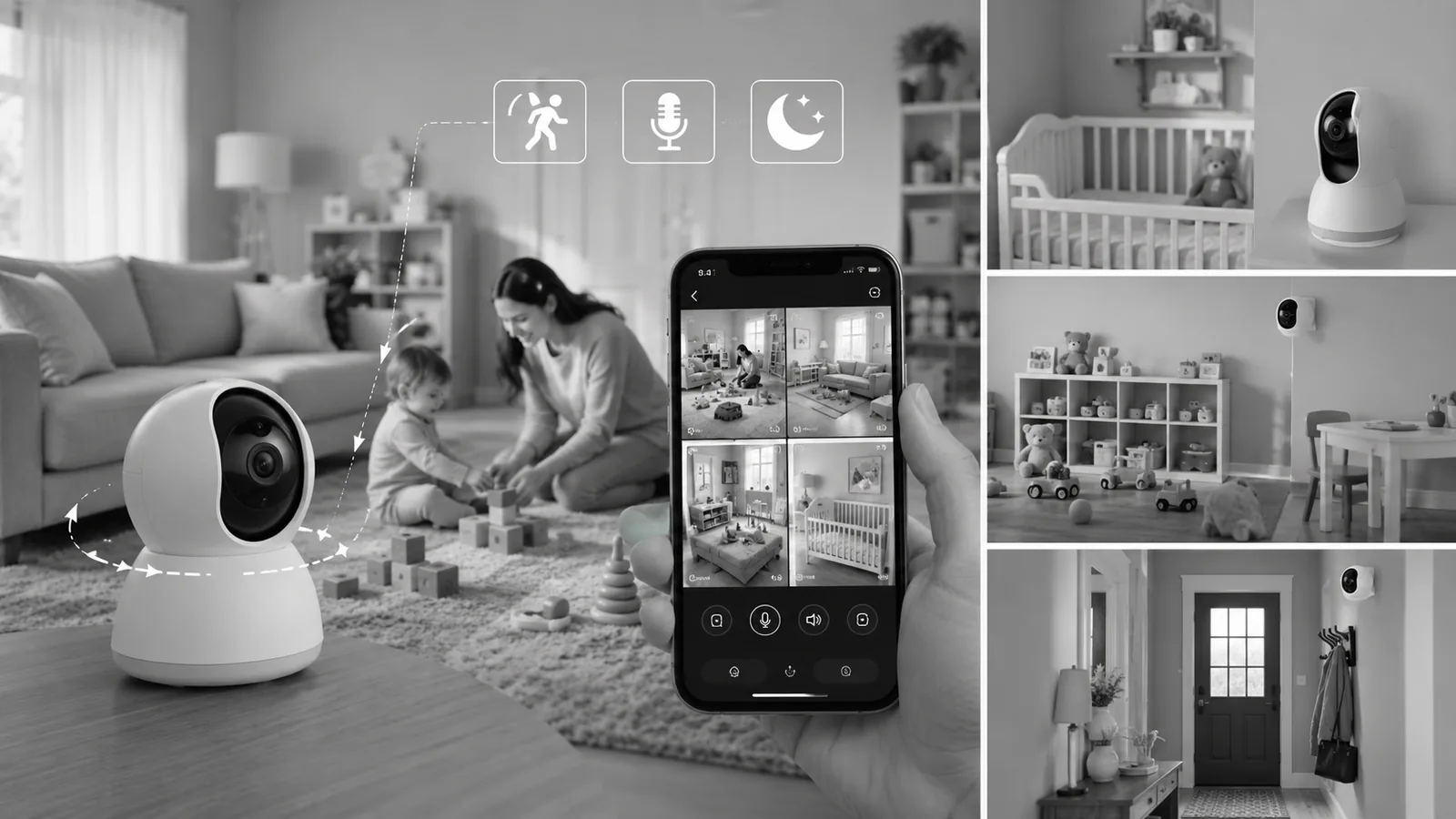
Best Security Cameras for Nanny/Childcare Monitoring in 2026
Finding the best security cameras for nanny/childcare monitoring means looking for more than just good video quality. Parents and families often want a camera that can clearly show what’s happening, send useful alerts, allow two-way communication, and continue monitoring when the room gets dark.
The best security cameras for nanny/childcare monitoring can also offer features such as baby-cry detection, person and pet detection, automatic tracking, night vision, and remote viewing from a smartphone. For larger homes, a multi-camera system can make it easier to monitor several common areas.
For this guide, we’ve compared four indoor cameras with different strengths. The REOLINK E1 Pro is our Best Overall choice because it combines 5MP/3K video, baby-cry detection, person and pet detection, auto tracking, enhanced night vision, dual-band Wi-Fi, and two-way audio.
Privacy note: Always use childcare cameras responsibly. Depending on your location, recording a nanny, babysitter, or other caregiver may require notice or consent. Avoid placing cameras in private areas such as bathrooms or bedrooms used by adults.
Disclosure: If you purchase a product through affiliate links on this website, I may earn a commission at no additional cost to you.
Quick Comparison
| Camera | Resolution | Best For | Key Features | Package |
|---|---|---|---|---|
| REOLINK E1 Pro | 3K / 5MP | Best Overall | Baby Crying Detection, Auto Tracking | 1 |
| Funstorm Mini Nanny Cam | 4K | Best Battery Life | 100-Day Battery, Remote Viewing | 1 |
| Anona 4K UHD Indoor Camera | 4K | Best Multi-Camera System | 360° PTZ, Baby Cry Detection, Privacy Mode | 4 |
| ZEEPORTE Indoor Camera | 2K | Best Value Multi-Pack | Motion Detection, Siren, Two-Way Audio | 4 |
Why Use a Security Camera for Nanny and Childcare Monitoring?
A childcare camera can provide parents with a convenient way to check common areas of the home while they’re away.
Depending on the camera, you may be able to:
- View a live feed from your phone
- Receive motion alerts
- Detect people or pets
- Receive baby-cry alerts
- Talk through the camera
- Check on a child remotely
- Record important events
- Monitor a playroom or living area at night
The goal isn’t to watch every moment of someone’s day. A well-positioned camera should provide useful visibility into appropriate common areas while respecting the privacy of everyone in the home.
Best Security Cameras for Nanny/Childcare Monitoring in 2026
1. REOLINK E1 Pro 3K Indoor Camera
Best Overall
The REOLINK E1 Pro is our top pick for families looking for a dedicated indoor camera for childcare monitoring.
It records in 3K/5MP resolution, providing a higher level of detail than standard 1080P cameras. That can be helpful when monitoring a playroom, nursery, or living area from a distance.
One of the most useful features for parents is baby crying detection. Rather than relying only on ordinary motion alerts, the camera can detect crying and provide an alert when it recognizes that type of sound.
The camera also supports person and pet detection and automatic tracking. When a person or pet moves through the viewing area, the camera can automatically follow the activity.
Enhanced night vision, supported by an F1.6 aperture, helps the camera capture clearer footage in low-light conditions.
It also supports both 2.4GHz and 5GHz Wi-Fi, giving you more flexibility when connecting it to your home network.
Two-way audio lets parents communicate through the camera, which can be useful when checking on a child or speaking to a caregiver.
Pros
- 3K / 5MP video
- Baby crying detection
- Person and pet detection
- Auto tracking
- Enhanced night vision
- F1.6 aperture
- 2.4GHz and 5GHz Wi-Fi
- Two-way audio
- Designed for indoor monitoring
Cons
- Single-camera package
- Requires wired power
- Indoor use only
Final Verdict
The REOLINK E1 Pro offers one of the most useful feature combinations for childcare monitoring. Baby-cry detection, person/pet detection, auto tracking, 5MP video, and two-way audio make it our Best Overall choice.
2. Funstorm 2025 Upgraded 4K Mini Nanny Camera
Best for Long Battery Life
The Funstorm mini nanny camera takes a different approach from the other cameras on this list.
Its biggest advantage is the advertised 100-day battery life, making it appealing for users who don’t want to keep an indoor camera connected to a power outlet.
The camera records in 4K HD and supports night vision, motion detection, and remote viewing through Wi-Fi.
Its compact design can also make it easier to position in different areas of the home.
However, buyers should pay close attention to how the advertised battery life is measured. Actual battery performance can vary significantly depending on motion activity, recording settings, Wi-Fi conditions, and how frequently the camera is accessed.
Pros
- 4K video
- Compact design
- Advertised 100-day battery life
- Night vision
- Motion detection
- Remote viewing
- Wireless operation
Cons
- Battery life varies with usage
- Feature set is less extensive than some PTZ childcare cameras
- Buyers should verify the current storage and app features
Final Verdict
If your biggest priority is avoiding frequent charging, the Funstorm camera is worth considering. Its advertised long battery life gives it an advantage over conventional wired indoor cameras.
3. Anona 4K UHD Indoor Camera — 4-Pack
Best Multi-Camera System
The Anona 4K UHD system is our top choice for families who want to monitor multiple areas of the home.
The four-camera package can be useful for monitoring a playroom, living room, nursery, hallway, or another appropriate common area without moving one camera from room to room.
Each camera provides 4K UHD video and 360° pan-and-tilt functionality. Auto tracking can follow activity around the room, while person, pet, and baby-cry detection can provide more targeted alerts.
Another useful feature is privacy mode. This gives families an additional way to control camera monitoring when privacy is needed.
The cameras support 2.4GHz and 5GHz Wi-Fi 6, and two-way audio allows communication through the camera.
Pros
- 4K UHD video
- Four-camera package
- 360° pan and tilt
- Auto tracking
- Person detection
- Pet detection
- Baby crying detection
- Privacy mode
- Two-way audio
- 2.4GHz and 5GHz Wi-Fi 6
Cons
- Four cameras may be more than needed for smaller homes
- Wired power required
- Requires careful consideration of camera placement and privacy
Final Verdict
For families who need to monitor several common areas, the Anona four-pack offers an impressive feature set. Its combination of 4K video, PTZ coverage, baby-cry detection, auto tracking, and privacy mode makes it our Best Multi-Camera System.
4. ZEEPORTE 2K Indoor Security Cameras — 4-Pack
Best Value Multi-Pack
The ZEEPORTE 2K system is a practical option for families who want multiple indoor cameras without moving toward a more expensive setup.
The four-camera package provides 2K video, motion detection, night vision, and two-way audio.
A built-in siren adds another feature that can be useful for responding to detected activity. The cameras also work with Alexa and Google Home, making them suitable for homes that already use smart-home devices.
The cameras are wired, so you’ll need suitable power outlets in the locations where you plan to install them.
Pros
- Four-camera package
- 2K video
- Motion detection
- Two-way audio
- Night vision
- Built-in siren
- Alexa compatibility
- Google Home compatibility
- Indoor monitoring
Cons
- 2K rather than 4K
- Wired power required
- Doesn’t list baby-cry detection among the supplied features
- Indoor use
Final Verdict
The ZEEPORTE four-pack is a good choice when coverage and affordability matter more than advanced baby-specific detection features.
What to Look for in a Childcare Monitoring Camera
Baby-Cry Detection
Baby-cry detection can be particularly useful for parents with infants. Instead of receiving an alert for every movement, the camera can notify you when it detects a sound resembling a baby’s cry.
It’s still important to remember that audio detection isn’t perfect, so it shouldn’t replace direct supervision.
Person and Pet Detection
AI detection can help distinguish people from other moving objects.
This can reduce unnecessary notifications and make the camera’s alerts more useful.
Automatic Tracking
A pan-and-tilt camera with automatic tracking can follow movement across a room rather than leaving the subject outside a fixed camera’s field of view.
Night Vision
Childcare monitoring doesn’t stop when the lights go out. Good night vision is important for nurseries and bedrooms where appropriate.
Two-Way Audio
Two-way audio allows parents to speak with a child or caregiver through the camera.
It can be useful for simple communication without requiring a phone call.
Privacy Mode
A privacy mode can be especially valuable in a childcare environment because there may be times when camera monitoring isn’t appropriate.
Where Should You Install a Nanny or Childcare Camera?
Living Room
The living room is often a suitable common area for monitoring children and caregivers.
Playroom
A camera positioned in a playroom can provide a broad view of children’s activities.
Nursery
If used appropriately and in accordance with local privacy considerations, an indoor camera can help parents monitor a baby’s sleeping area.
Entryway
An entryway camera can show when people enter or leave the home without recording private spaces.
Avoid Private Areas
Never place cameras in bathrooms or other areas where people reasonably expect privacy. If a caregiver lives in the home or uses a private bedroom, that area should also be treated with particular care.
Privacy Considerations for Nanny Cameras
Using a camera to monitor childcare comes with an important responsibility: people should know when and where they are being recorded when the law requires it.
Before installing a nanny camera:
- Check applicable local and state privacy laws.
- Tell caregivers about cameras when required.
- Keep cameras in appropriate common areas.
- Avoid bathrooms and other private spaces.
- Use strong, unique account passwords.
- Enable two-factor authentication when available.
- Keep camera firmware and apps updated.
- Review who has access to your camera account.
- Use privacy mode when monitoring isn’t necessary.
A security camera should provide peace of mind without unnecessarily compromising someone’s privacy.
Frequently Asked Questions
What is the best security camera for nanny monitoring?
The REOLINK E1 Pro is our top choice because it combines 3K/5MP video, baby-cry detection, person and pet detection, auto tracking, enhanced night vision, and two-way audio.
Can I use a security camera to monitor a nanny?
Yes, but you should follow applicable privacy and recording laws. Depending on where you live, you may need to inform or obtain consent from the caregiver.
What features are most important for childcare monitoring?
Useful features include baby-cry detection, person detection, night vision, two-way audio, motion tracking, smartphone alerts, and privacy controls.
Are nanny cameras legal?
The rules vary depending on your location and circumstances. Audio recording can have additional legal requirements in some jurisdictions. Always check the laws that apply where you live.
Can I monitor a childcare camera from my phone?
Yes. The cameras in this guide are designed to provide remote viewing through their respective apps, assuming the camera has a suitable network connection.
Should I use a hidden nanny camera?
A clearly installed camera is generally a better approach for childcare monitoring. Hidden recording can create significant privacy and legal concerns, particularly when caregivers are involved.
Final Verdict
Choosing the best security cameras for nanny/childcare monitoring depends on whether your priority is advanced baby detection, long battery life, multi-room coverage, or affordability.
🏆 Best Overall: REOLINK E1 Pro
The REOLINK E1 Pro provides an excellent combination of 3K/5MP video, baby-cry detection, person and pet detection, auto tracking, enhanced night vision, dual-band Wi-Fi, and two-way audio.
🔋 Best for Long Battery Life: Funstorm
The Funstorm mini camera is the most interesting choice for users who prioritize a compact design and its advertised 100-day battery life.
🏠 Best Multi-Camera System: Anona 4K 4-Pack
The Anona system is ideal for families who want to monitor several common areas. 4K video, 360° PTZ, auto tracking, baby-cry detection, and privacy mode give it a strong feature set.
💰 Best Value Multi-Pack: ZEEPORTE 2K 4-Pack
The ZEEPORTE system offers four cameras with 2K video, motion detection, night vision, two-way audio, and a siren, making it a practical choice for broader indoor coverage.
Ultimately, the best childcare camera is one that gives parents useful visibility while respecting the privacy of children, caregivers, and everyone else in the home. Good camera placement, strong account security, and responsible recording practices are just as important as the camera’s specifications.